BKSkills portfolio · IT · AI · Coding

Balmike Kumar

I'm a B.Sc. graduate with a keen interest in IT, AI and new technology. I learn by building: in my spare time I've taught myself coding, data handling and AI tools by making real, working projects. You can open every one of them below.

🎓 B.Sc. graduate 💻 Keen interest in IT ✨ Artificial Intelligence 🚀 New technology & development
7skill areas
15+tools & technologies
5live projects
100%self-taught
Download portfolio (PDF)
01

IT, AI & Coding Skills

What I've learned by building

What I can do

Building and testing my own apps taught me how software, databases and websites work from the inside, and how to use AI tools to get things done faster.

  • Working with large data files: cleaning, sorting and finding patterns
  • Pulling figures out of PDFs and Word files quickly, then cross-checking them
  • Understanding how software, databases and logins actually work
  • Keeping systems safe with good passwords, backups and privacy
  • Making simple web tools and trackers to save repetitive work
  • Using AI assistants for writing, summarising and coding
✨

AI & New Technology

I keep up with AI tools and use them every day to write, test and review code faster. I also use AI to summarise long documents, draft content and find patterns in data, and I always check what it produces.

Practised in: AI-assisted development of all my projects, opt-in AI parsing in Sense

🔐

Security & Access Control

Access control and passwords/PINs, keeping secret keys out of code, regular backups and recovery, and version control so every change is recorded.

Practised in: Mission BPSC PIN-protected sync, key backups, Git history

📊

Data Analysis

Cleaning, sorting and classifying records automatically, with rules that flag unusual entries for a closer look.

Practised in: Sense transaction parser (classify → rules → review)

📄

Document Processing

Turning Word and PDF documents into structured, searchable data with Python. Extraction is done twice and checked by hand before anything is relied on.

Practised in: Chemistry Notes, PYQ extraction for Mission BPSC

🛡️

Web Security

Checking a web application for common weaknesses: exposed keys, missing security headers, unsafe input handling and over-broad permissions. Each finding is fixed and then re-tested.

Practised in: repeated security reviews of my own apps

🧾

Data Privacy

Masking personal details such as account numbers on the device, consent banners, privacy policies and a working data-deletion process. I know what good personal-data handling looks like.

Practised in: Sense on-device masking, consent & deletion flow

☁️

Cloud, Automation & Testing

Cloud hosting and online databases, scheduled jobs and bots, and automated browser tests that confirm a system really does what it claims.

Practised in: Cloudflare, Telegram reminder bot, Playwright tests
02

Technical Toolkit

Languages and tools I've worked with

⌨️Coding

HTMLCSSJavaScriptPythonFlutter / DartSwiftUI (basics)

✨AI

AI coding assistantsPrompt writingSummarising documentsAI data extraction

☁️Cloud & Data

Cloudflare Pages & WorkersOnline databasesTelegram Bot APIJSON data

🧰Tools & Practice

Git version controlAutomated testing (Playwright)Word / PDF automationMobile-first design

Education: B.Sc. My IT skills are self-taught through personal projects and a keen interest in technology. No formal IT certification yet.

03

Projects

Where these skills were put into practice

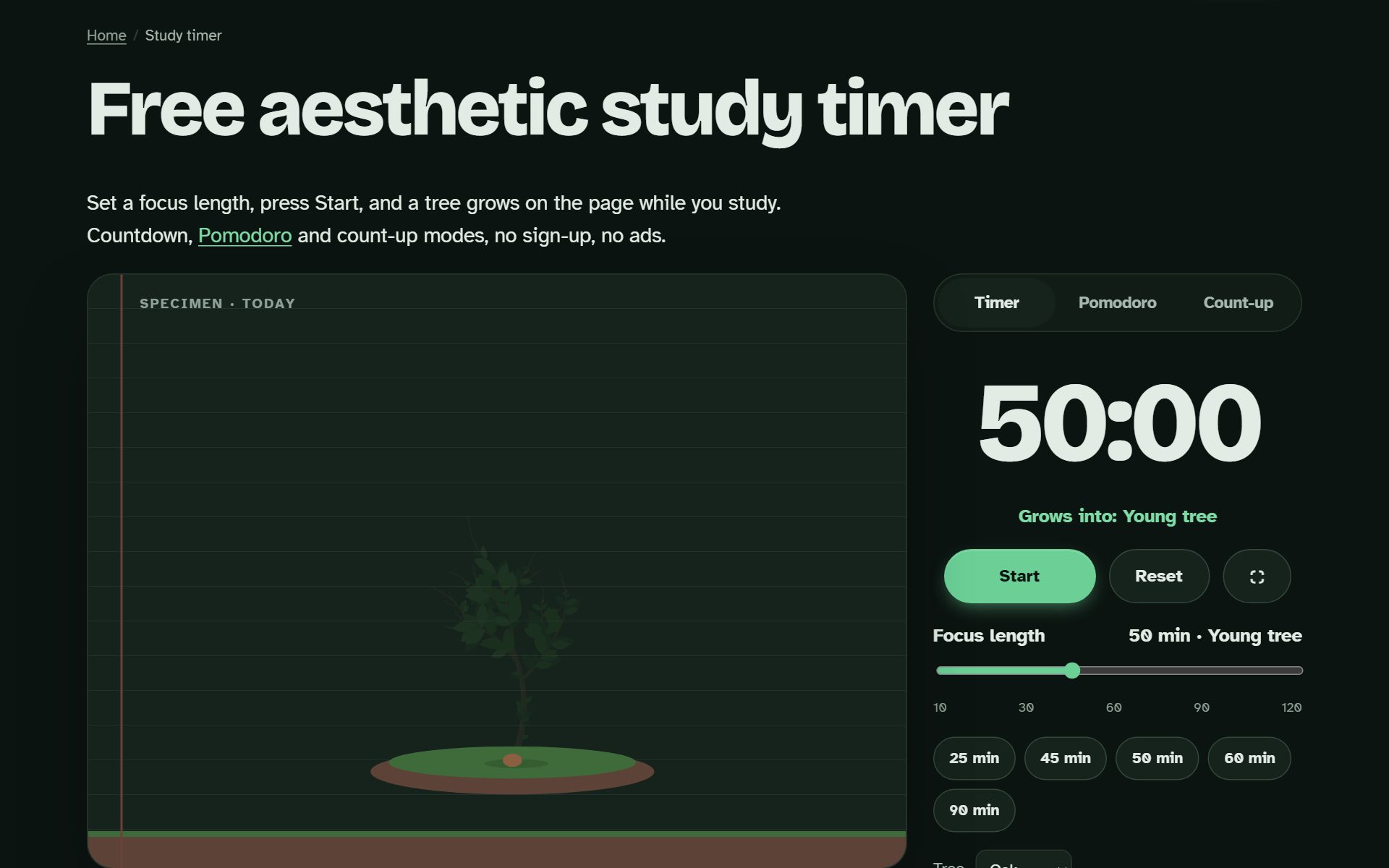
Pagewood study timer running in the browser
App development · Flutter

Pagewood: Focus Timer

A calm study timer I made because I kept getting distracted by my phone while studying. A small tree grows on screen for every minute you stay focused.

  • Pomodoro-style timer with a hand-drawn growing-tree animation
  • Built once in Flutter, runs on Android and in the browser
  • Works offline, with no sign-up and no ads
Skills usedFlutter / DartAndroidAnimationOffline storage
Open project ↗ pagewoodapp.com/study-timer
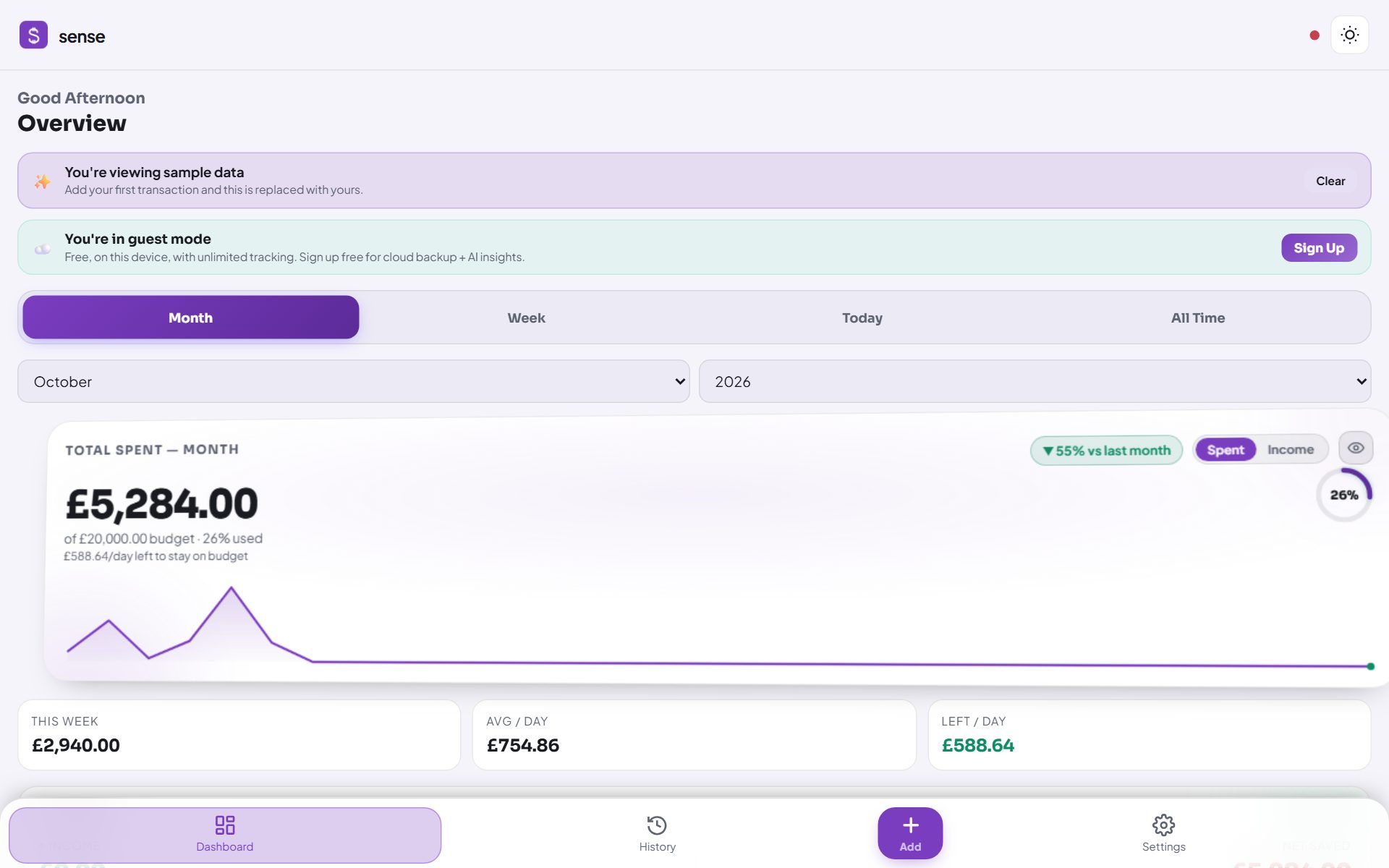
Sense expense tracker dashboard
Web app · Data & AI

Sense: Expense Tracker

A personal expense tracker I built to manage my own monthly spending. It sorts expenses into categories and shows where the money goes.

  • Automatic classification of transactions using rules, with optional AI help
  • Personal details masked on the device, and data stays offline
  • Try it without an account using sample data
Skills usedJavaScriptPWAData classificationAI parsingPrivacy
Open project ↗ sense.moneymanager-app.com
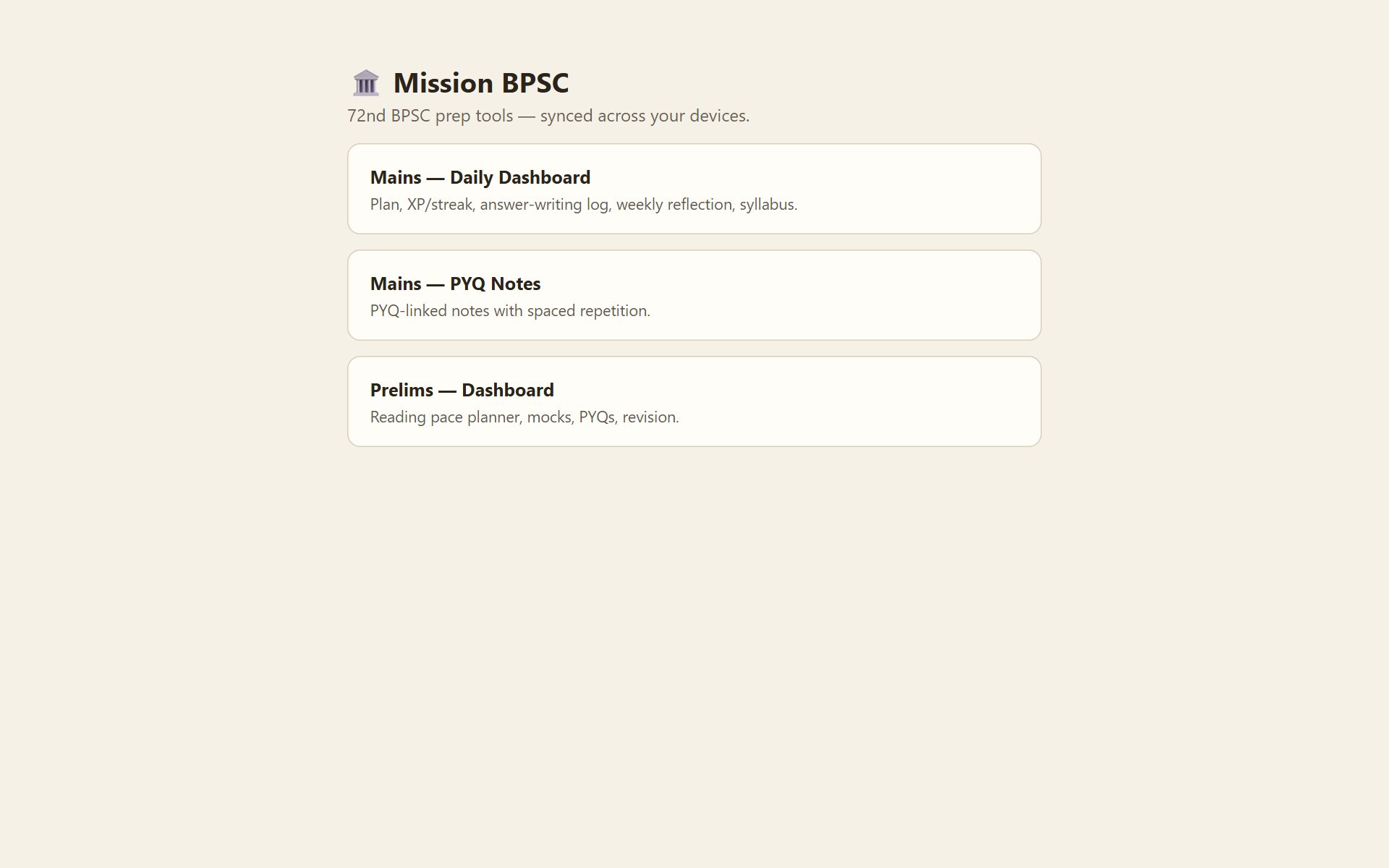
Mission BPSC dashboard
Planner · Automation

Mission BPSC Study Dashboard

My personal study planner. It keeps me consistent with daily targets, revision reminders and a streak counter.

  • Notes linked to previous-year questions, with spaced-repetition revision
  • Telegram bot sends a reading pack every morning and evening
  • Syncs between phone and laptop, protected with a PIN
Skills usedJavaScriptCloudflare WorkersTelegram Bot APIScheduling
Open project ↗ mission-bpsc.pages.dev
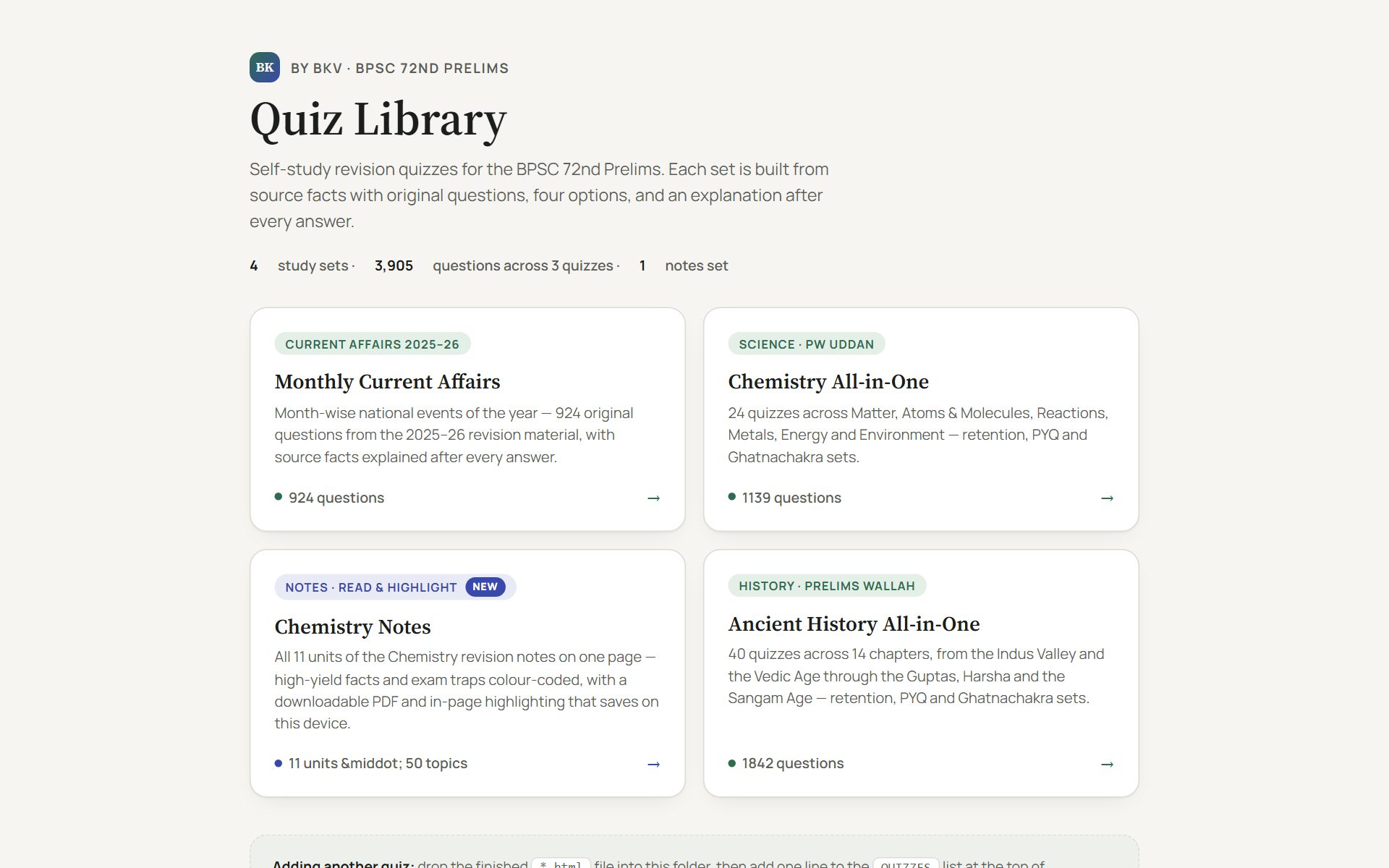
Quiz Library home page
Web design · Responsive

Quiz Library

A free revision site where I collected my practice quizzes in one place. It works on phone and desktop, and you don't need to log in.

  • Quiz engine with an instant explanation after every answer
  • Progress saved on the device, with no server needed
  • A+/A− text size controls for easy reading on mobile
Skills usedHTMLCSSJavaScriptResponsive design
Open project ↗ bkv-bpsc.pages.dev
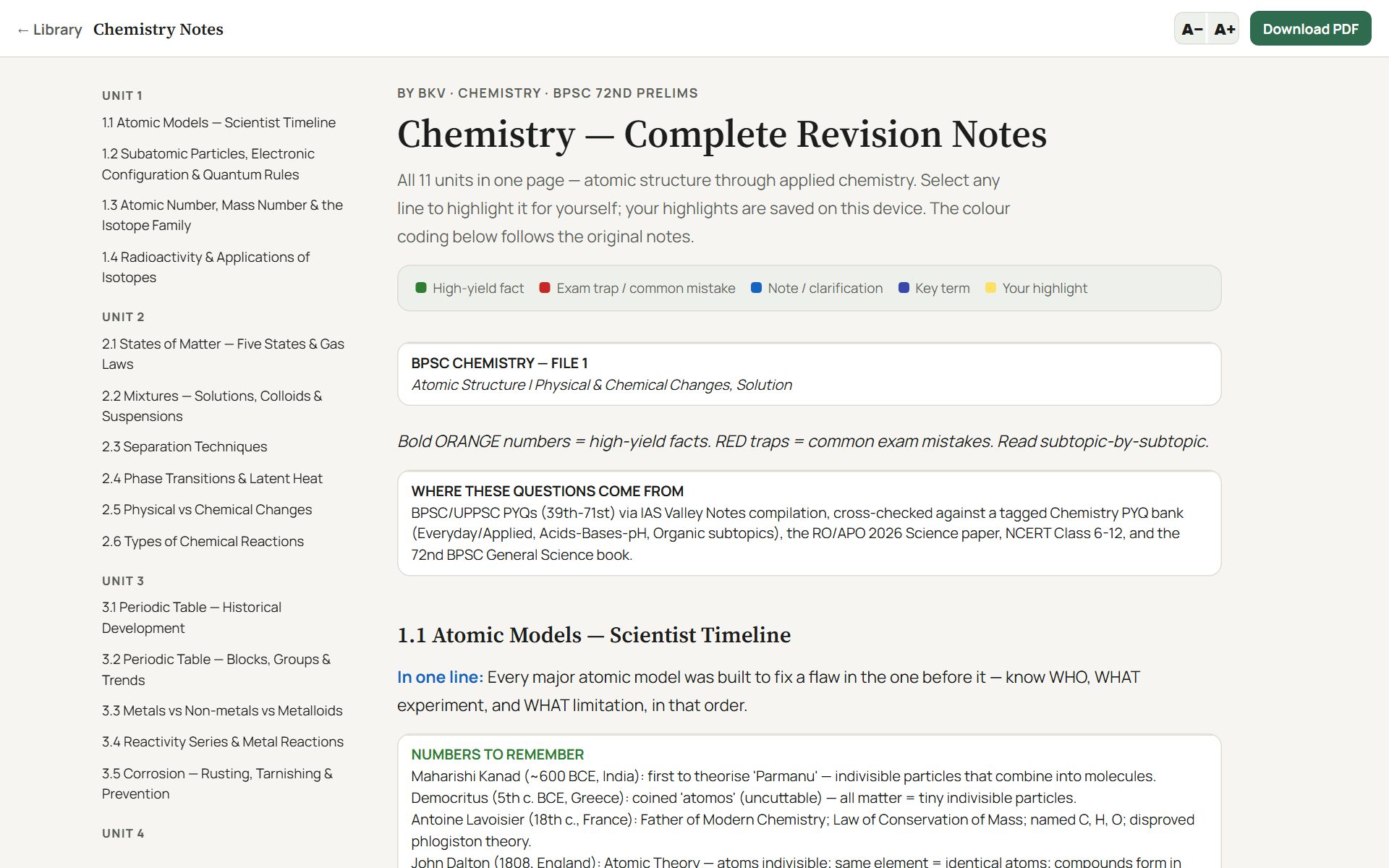
Chemistry Notes reader
Python · Document conversion

Chemistry Notes Reader

I wrote a Python script that turns a long Word document into a clean reading page, with a contents sidebar and colour-coding for important facts.

  • Converted 11 units, 50 topics and 132 tables automatically
  • Select any line to highlight it, and the highlights stay after reload
  • Downloadable PDF copy for offline reading
Skills usedPythonWord → HTMLJavaScriptPDF
Open project ↗ bkv-bpsc.pages.dev/bkv-chemistry-notes
04

Other experiments

Prototype · iPhone

Photo Cleanup

A small iPhone app prototype for sorting a cluttered photo gallery by swiping to keep or delete. I built it to learn SwiftUI. It isn't published.

Automation

Study reminder bot

A Telegram bot that sends my revision list twice a day. I mark each question Easy, Good or Hard, and it decides when to show it again.

💡

Why I do this

I enjoy solving small everyday problems with technology. These projects taught me how to organise information clearly, automate routine work, and make things simple for the person using them. I'm happy to help with similar small tools or digital work in the office whenever needed.